Plane for Self-Hosted Teams: Managing Infrastructure + Website Projects

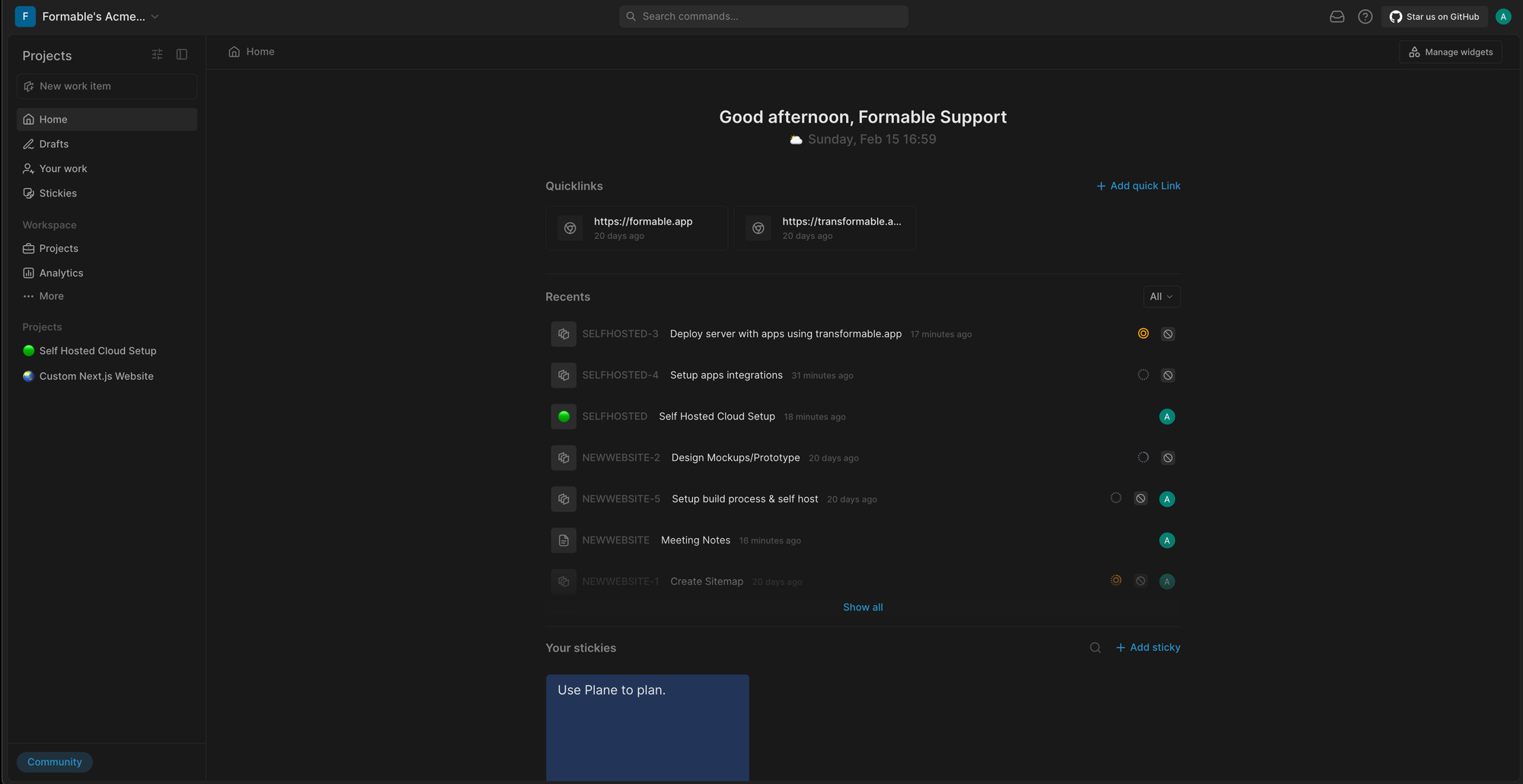
Plane, an open-source workspace for project management that works really well for teams managing self-hosted systems and custom web builds.
Today we’ll walk through a real example using a fictional client, Acme Co. They’ve hired our small web studio to build a new marketing site and set up a self-hosted cloud stack for their apps. Instead of tracking everything in chat or scattered notes, we keep both projects organized in Plane.
If Acme asks for a change, we just add a new issue to the right project. If we need to document a deployment step or decision, we can add it to the project wiki pages. Everything stays organized and easy to follow.
That’s the core idea of using Plane for client work: separate projects for each major effort, clear workflows for what’s planned, in progress, and done, and a shared place to track infrastructure and development steps.
If you’re building self-hosted systems or custom websites for clients, Plane is a great way to keep your projects moving without a lot of overhead.
Formable's Plane Portainer stack docker-compose.yml
services:
  plane-db:
    image: postgres:15-alpine
    restart: always
    command: postgres -c 'max_connections=1000'
    volumes:
      - pgdata:/var/lib/postgresql/data
    environment:
      POSTGRES_USER: ${DB_USER}
      POSTGRES_DB: plane-db
      POSTGRES_PASSWORD: ${DB_PASS}
      PGDATA: /var/lib/postgresql/data

  plane-redis:
    image: valkey/valkey:7-alpine
    restart: always
    volumes:
      - redisdata:/data

  plane-mq:
    image: rabbitmq:3-management-alpine
    restart: always
    environment:
      RABBITMQ_DEFAULT_USER: ${DB_USER}
      RABBITMQ_DEFAULT_PASS: ${DB_PASS}
      RABBITMQ_DEFAULT_VHOST: plane
    volumes:
      - rabbitmq_data:/var/lib/rabbitmq

  plane-minio:
    image: minio/minio
    restart: always
    command: server /export --console-address ":9090"
    ports:
      - ${MINIO_SERVER_PORT}:9090
    volumes:
      - uploads:/export
    environment:
      MINIO_ROOT_USER: ${MINIO_ROOT_USER}
      MINIO_ROOT_PASSWORD: ${MINIO_ROOT_PASSWORD}
      MINIO_BUCKET: plane-uploads
      MINIO_SERVER_URL: ${MINIO_SERVER_URL}

  plane:
    image: makeplane/plane-aio-community:${APP_VERSION}
    restart: always
    volumes:
      - logs:/app/logs
      - data:/app/data
    ports:
      - ${APP_PORT}:80
    environment:
      DOMAIN_NAME: ${SUBDOMAIN}
      DATABASE_URL: postgresql://${DB_USER}:${DB_PASS}@plane-db:5432/plane-db
      REDIS_URL: redis://plane-redis:6379
      AMQP_URL: amqp://${DB_USER}:${DB_PASS}@plane-mq:5672/plane
      AWS_REGION: us-east-1
      AWS_ACCESS_KEY_ID: ${MINIO_ROOT_USER}
      AWS_SECRET_ACCESS_KEY: ${MINIO_ROOT_PASSWORD}
      AWS_S3_BUCKET_NAME: plane-uploads
    healthcheck:
      test: curl --fail http://localhost:80
      interval: 5s
      timeout: 5s
      retries: 20

volumes:
  pgdata:
  redisdata:
  rabbitmq_data:
  uploads:
  logs:
  data:
Managed Self Hosted Plane
Formable sets up, monitors and updates your cloud applications.